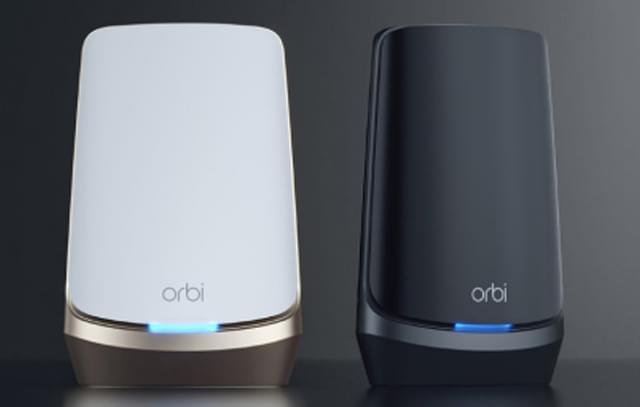
What You Need Before Starting
- Orbi router and satellite
- Active internet connection
- Modem from your Internet Service Provider (ISP)
- Ethernet cable (included in the box)
- Smartphone, laptop, or desktop
How to Setup Orbi Router
Step 1: Connect the Orbi Router
- Turn off your modem.
- Connect the modem to the Orbi router’s WAN (Internet) port using an Ethernet cable.
- Turn on the modem and wait until it fully boots.
- Plug in the Orbi router and power it on.
Wait until the LED light turns solid white and then stabilizes.
Step 2: Connect to Orbi Network
On your device, connect to the default Orbi WiFi network name (SSID), which is printed on the router label.
Step 3: Open the Orbi Login Page
Open a web browser and type:
- http://orbilogin.com
- http://192.168.1.1
Press Enter to access the setup wizard.
Step 4: Follow the Setup Wizard
The on-screen instructions will guide you through:
- Creating a new admin password
- Setting up WiFi name (SSID)
- Choosing a strong WiFi password
- Checking for firmware updates
How to Sync Orbi Satellite
To extend your WiFi coverage:
- Place the satellite in the same room as the router during setup.
- Power on the satellite.
- Press the Sync button on the router.
- Within 2 minutes, press the Sync button on the satellite.
Wait for the LED to turn solid blue, which indicates a successful connection.
Orbi Setup Using the Mobile App
You can also complete Orbi setup using the Orbi mobile app:
- Download the Orbi app from the App Store or Google Play Store.
- Open the app and sign in or create an account.
- Follow the in-app setup instructions.
Common Orbi Setup Issues
- Orbi not detecting internet connection
- Login page not loading
- Satellite not syncing
- Pink or magenta light during setup
If you face any of these issues, restart both the modem and router and repeat the setup process.
Tips for Best Performance
- Place the router in a central location.
- Avoid placing near thick walls or metal objects.
- Keep firmware updated.
- Use strong and unique passwords.
Conclusion
Orbi setup is quick and straightforward when you follow the correct steps. By properly connecting your router and syncing the satellite, you can enjoy seamless whole-home WiFi coverage without interruptions.
If the setup fails even after troubleshooting, consider performing a factory reset and starting the process again.