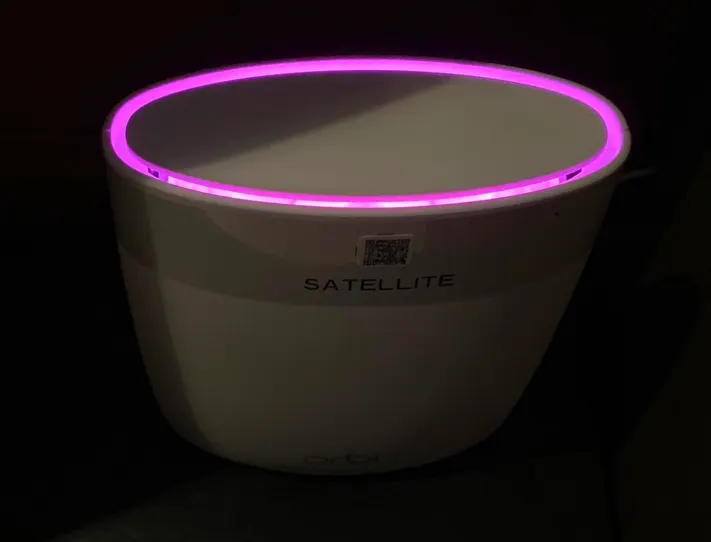
Don’t worry — the problem can usually be fixed in a few simple steps.
What Does Orbi Pink Light Mean?
- On Router: No internet connection from modem.
- On Satellite: Satellite failed to connect to the router.
The pink light may appear solid or pulse depending on the model, but in most cases, it indicates a connectivity issue.
How to Fix Orbi Pink Light Issue
1. Check Modem Connection
Ensure the Ethernet cable from your modem is securely connected to the Orbi router’s WAN (Internet) port. Also confirm that your modem is powered on and fully booted.
2. Restart Your Network Devices
- Turn off the modem and Orbi router.
- Wait for 60 seconds.
- Turn on the modem first and wait until all lights stabilize.
- Then power on the Orbi router.
3. Check Internet Service
Connect a computer directly to the modem using an Ethernet cable. If there is still no internet, contact your ISP to confirm there is no outage in your area.
4. Re-Sync Orbi Satellite (If Satellite Shows Pink)
- Press the Sync button on the router.
- Within 2 minutes, press the Sync button on the satellite.
- Wait for the LED to turn solid blue.
5. Update Orbi Firmware
Access the router login page by entering orbilogin.com or 192.168.1.1 into your browser. Navigate to the firmware update section and install any available updates.
6. Factory Reset (If Problem Persists)
If the pink light remains after troubleshooting:
- Locate the reset button on the router.
- Press and hold it for 10–15 seconds.
- Allow the router to reboot and set it up again.
How to Prevent Orbi Pink Light in the Future
- Keep your firmware updated regularly.
- Use high-quality Ethernet cables.
- Avoid placing the router near heavy electronic interference.
- Restart your modem occasionally.
Conclusion
The Orbi pink light usually indicates a lost internet connection or syncing issue. In most cases, restarting the modem and router resolves the problem quickly. If the issue continues after trying all troubleshooting steps, you may need advanced configuration support or assistance from your ISP.