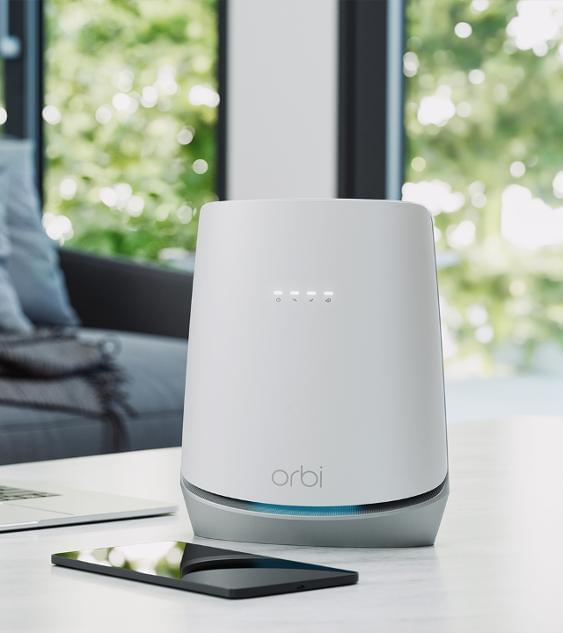
Noticing a blue light on your Orbi router or satellite and wondering if it’s good or bad? In most cases, the blue light is actually a positive sign.
If you’re using a Netgear Orbi mesh WiFi system, understanding the LED color indicators can help you quickly diagnose connection and setup issues without contacting support.
Chat with US - 24*7 Available Now!
What Does the Blue Light on Orbi Mean?
When your Orbi satellite shows a solid blue light, it typically means:
- ✔ The satellite has successfully connected to the Orbi router
- ✔ The connection between router and satellite is strong
- ✔ Your mesh network is working properly
In simple terms: Blue light = Strong connection.
Usually, the blue light stays on for about 2–3 minutes after setup or syncing, then automatically turns off.
When Does the Orbi Blue Light Appear?
You may notice the blue light in the following situations:
- During initial setup
- After syncing the satellite
- After rebooting the system
- After reconnecting a satellite
If it turns off after a few minutes, that is completely normal.
Blue Light vs Other Orbi LED Colors
Blue Light
Indicates a strong connection between router and satellite.
Amber Light
Shows a fair connection. The satellite may be too far from the router.
Magenta or Purple Light
Indicates no connection to the router or no internet access.
What If the Blue Light Stays On?
Normally, the blue light turns off automatically. If it stays on continuously:
- Check for firmware updates
- Restart both router and satellite
- Verify sync status in the Orbi app
In most cases, this behavior is harmless.
How to Fix Issues If Blue Light Does Not Appear
1. Move the Satellite Closer
Place it midway between the router and the weak coverage area.
2. Re-Sync the Satellite
Press the Sync button on both the router and satellite.
3. Restart the System
Unplug everything, wait 60 seconds, power on the router first, then the satellite.
4. Update Firmware
Log in to the Orbi admin panel or use the Orbi app to install the latest updates.
Does the Router Show Blue Light?
In most Orbi models, the blue light mainly appears on satellites rather than continuously on the main router. Router LED behavior may vary depending on the model.
When to Contact Support
You may need technical assistance if:
- The blue light never appears during setup
- The satellite refuses to sync
- Internet remains down even after showing blue light
- Firmware updates repeatedly fail
Final Thoughts
The Orbi blue light is generally a positive indicator. It means your satellite is properly connected and your mesh WiFi system is functioning correctly.
If the light disappears after a few minutes, that is normal. If you notice different LED colors, basic troubleshooting steps like repositioning or restarting often resolve the issue.